Slack vs Microsoft Teams for engineering teams
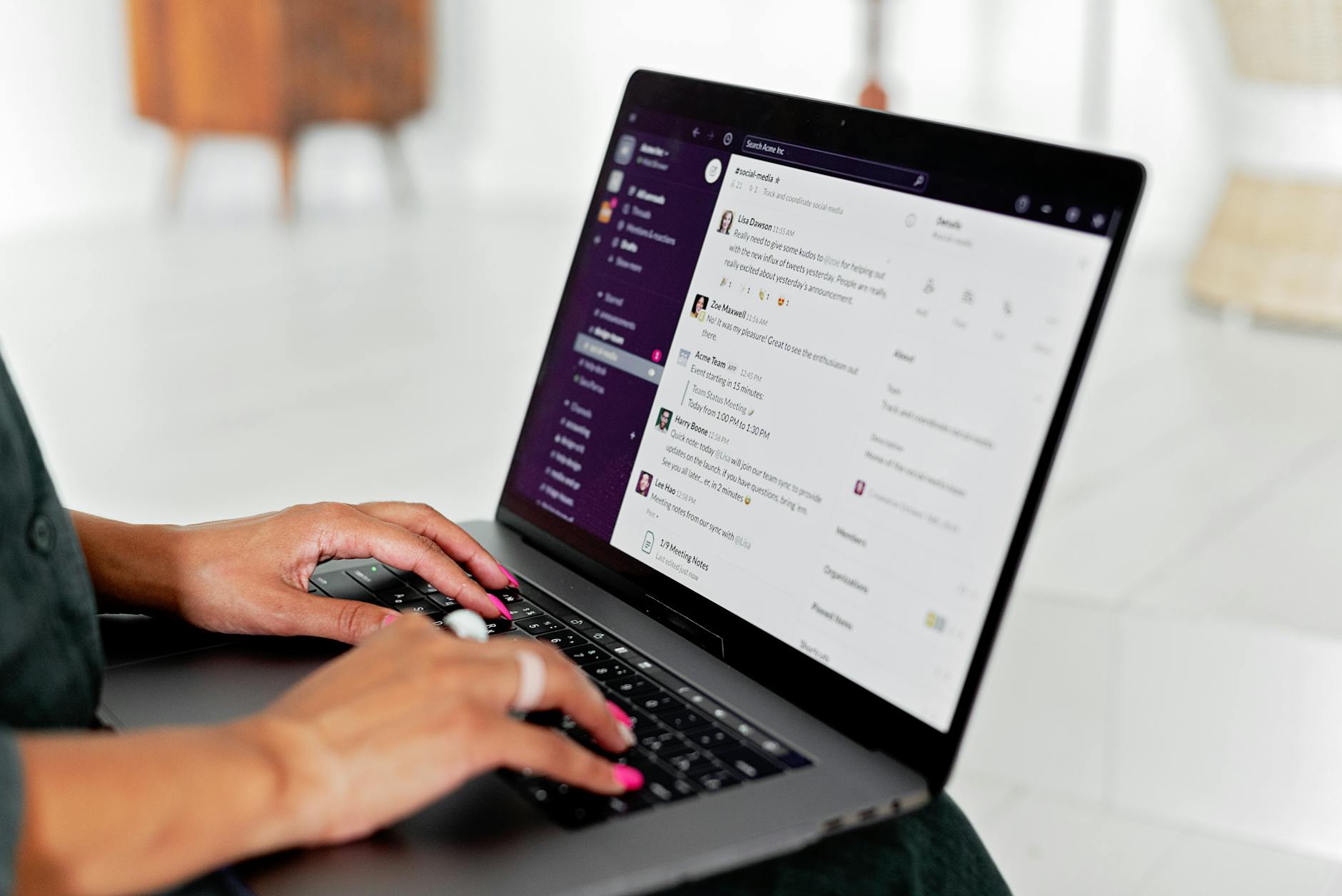
Slack vs Microsoft Teams for engineering teams
For engineering teams in 2026, Slack wins on day-to-day developer workflow (threads, search, GitHub and PagerDuty integrations, bundled Slack AI), and Microsoft Teams wins on cost-when-already-bundled, video conferencing, and enterprise compliance. Most engineering-led companies pick Slack until headcount or finance forces a switch to the M365 bundle.
That is the honest answer. The rest of this post is the tradeoff math, the real 2026 pricing, and the patterns that actually matter once you have shipped a few incidents at 2 a.m.
The pricing reality (real 2026 numbers)
Headline pricing is misleading because Microsoft prices Teams as part of a productivity suite while Slack charges per seat for chat alone. Here is the comparison most posts skip.
| Plan | Slack | Microsoft Teams |
|---|---|---|
| Free tier | 90-day message history, limited integrations | Free for individuals only; not workspace-grade |
| Entry paid | Pro: $7.25/user/mo (annual) | Teams Essentials: $4/user/mo (standalone) |
| Mid tier | Business+: $12.50/user/mo | M365 Business Basic: $7/user/mo (Teams + Office web) |
| Pro tier | Enterprise Grid: custom (~$15-25/user/mo) | M365 Business Standard: $14/user/mo (full Office desktop) |
| AI add-on | Bundled in all paid plans (since late 2025) | Copilot for M365: $30/user/mo extra |
If your company already pays for Microsoft 365 (most do once you have a finance team), the marginal cost of Teams is effectively zero. Slack is a net-new line item at $87 to $150 per engineer per year on Pro, or $150 to $300 on Business+.
For a 30-person engineering team, that is roughly $4,500 to $9,000 per year for Slack on top of M365 you already pay for. That is not nothing, but it is also not the deciding factor for most VC-backed companies. It becomes the deciding factor at 200+ heads.
Where Microsoft Teams genuinely wins
Skipping this section is how Slack-fan posts lose credibility. Teams wins in five real ways.
1. The M365 bundle math. If you are paying $14/user/mo for Business Standard, Teams is included. Slack adds a parallel chat bill on top. CFOs notice this fast.
2. Video conferencing. Teams meetings support 300 standard participants and webinars up to 1,000, with native recording, transcription, breakout rooms, and end-to-end encryption. Slack Huddles cap at 50 and do not record. If your team runs all-hands, customer demos, or compliance-recorded interviews on the platform, Teams is the only serious choice.
3. Compliance and enterprise governance. Teams ships HIPAA, FedRAMP High, IL5 (DoD), and DLP policies natively wired into Microsoft Purview. Slack has compliance offerings, but they live behind Enterprise Grid pricing and require more configuration. If your customers are hospitals, banks, or government, Teams is the easier path through procurement.
4. Office and Outlook integration. Teams threads can pull a SharePoint document into a tab, edit it inline with co-authoring, and route the change through Outlook approval flows. Engineering teams rarely care, but the rest of the company does, and the rest of the company has opinions about your chat tool.
5. Copilot inside the productivity surface. Microsoft Copilot at $30/user/mo is expensive, but it spans Word, Excel, Outlook, PowerPoint, and Teams. Slack AI only summarizes Slack. If your bet is on AI-everywhere, Microsoft has more surface area.
That is the case for Teams. Take it seriously before you brush it off.
Where Slack wins for engineering teams
Now the other side. For engineering work specifically, Slack still has structural advantages that survive the price gap.
Threads are the right primitive
Engineering work is parallel. Three incidents, two PR reviews, and a design discussion can run at once. Slack threads keep each conversation isolated, with its own notification context. Teams threads exist, but they are second-class: replies feel like an afterthought to the channel timeline, and finding a thread three weeks later is harder.
For incident channels especially, Slack threads let the on-call engineer post a status thread under the incident channel, while sidebar discussions about root cause happen in their own threads, and the postmortem links back to all of them. In Teams, this same flow becomes a wall of replies.
Search actually works
Slack's search indexes everything: messages, files, snippets, canvas docs, and as of 2025 also includes semantic search on paid plans. You can ask "what did we decide about the Postgres migration in March" and get the answer. Teams search is functional but consistently rated lower for precision, especially across channels and teams (the Microsoft term, confusingly).
For a four-year-old engineering org, the search index is institutional memory. Migrating off Slack means losing access to that memory unless you pay for an export and re-index, which is a real switching cost teams underestimate.
The integration gap is biggest where engineers live
Slack lists 2,600+ third-party apps; Teams lists roughly 1,400. The raw count matters less than the distribution. The integrations that engineering teams use daily (GitHub, GitLab, Linear, Jira, PagerDuty, Datadog, Sentry, Vercel, Netlify, CircleCI, Argo CD, Cursor) all have first-class Slack apps. Many also exist for Teams, but the experience is usually thinner: fewer slash commands, less interactive flow, slower update cycles.
A few patterns that matter in practice:
- GitHub on Slack posts PR-opened, review-requested, and merge events into a channel with one-click approve and inline diff previews. The Teams equivalent works but lacks inline approval.
- PagerDuty on Slack lets the on-call ack from a button in the alert message. Teams has the same primitive but the round-trip is slower.
- Linear on Slack lets you create issues from a message, link issues into threads, and update status with slash commands. The Teams app exists but is read-mostly.
If your team uses Cursor, Claude Code, or Copilot heavily for development (which by 2026 is most engineering teams), the AI-tooling layer also lives more naturally in Slack. Most code-review bots and AI-assistant integrations ship Slack-first because the developer audience is there.
Slack AI is bundled
As of late 2025, Slack folded its AI features (thread summaries, channel recaps, search answers, daily morning digest) into every paid plan. No add-on. Microsoft's equivalent, Copilot, is a separate $30/user/mo SKU. For a chat-heavy engineering team, the AI-per-dollar math favors Slack significantly.
Canvas, Workflow Builder, and the dev-friendly API
Slack Canvas (lightweight in-channel docs) replaces a lot of Notion-for-runbooks scenarios. Workflow Builder lets a non-developer wire up "every Friday at 4pm, ask the team for status updates and post the responses to #engineering-leadership." The Slack API is, in practice, more developer-friendly: better docs, more SDKs, faster rate limits.
The decision rule that actually works
Skip the feature checklists. Use this instead.
| If your team... | Pick |
|---|---|
| Is engineering-led, pre-200 employees, ships a software product | Slack |
| Is already on Microsoft 365 and engineering is a minority of headcount | Teams |
| Sells into hospitals, banks, federal, or other compliance-heavy verticals | Teams |
| Spends >50% of communication time in chat (vs meetings) | Slack |
| Has a CFO who has flagged software costs as a 2026 priority | Teams |
| Is building a developer-tools or infra company | Slack (your customers live there) |
The honest pattern across hundreds of startups: most engineering-first teams pick Slack and stay on it through Series B. The switch to Teams happens when the company crosses 300 to 500 heads and the M365 bundle math becomes a finance-team conversation, or when a major enterprise customer requires it.
The hidden cost of switching
Either direction.
Switching from Slack to Teams: you lose four years of search history (Slack export is JSON; you can re-host it in a viewer like Slackdump, but it is not searchable in Teams). You rebuild every integration. Your engineers spend two weeks re-learning shortcut keys. Productivity drops 5 to 10% for a month.
Switching from Teams to Slack: same cost, opposite direction. Plus you now have a second tool that the rest of the company refuses to leave.
The implication: pick correctly the first time. The right way to evaluate is to run a 30-day pilot with 5 to 10 engineers actually shipping work, not to compare brochures.
Tooling alongside chat: what the rest of the stack should look like
The chat tool is one decision in a stack of seven or eight. For engineering teams running async or remote, the stack we usually see in 2026 looks like this.
| Function | Tool | Why |
|---|---|---|
| Chat | Slack or Teams | (this post) |
| Issue tracking | Linear | Speed, keyboard-first, Slack/Teams integration |
| Code | GitHub | Default; Cursor and Copilot integrate first here |
| AI pair-programmer | Cursor + Claude Code | The 2026 baseline |
| Async video | Loom | Recorded walkthroughs vs sync meetings |
| Docs | Notion or Slack Canvas | Runbooks live where the team works |
| Deploys | Vercel or Render | Push-to-deploy with Slack notifications |
| Observability | Datadog or Sentry | First-class chat alerting |
| Incidents | PagerDuty + chat threads | Ack from chat; postmortem in threads |
For a deeper stack-by-stack reasoning of what to install when you are building a remote engineering team from scratch, our guide on the best home office setup for remote engineers covers the hardware side, our hiring offshore developers playbook covers the team-build side, and our guide to hiring remote developers from India goes deep on one of the most common geo plays.
Where Cadence fits if you are still building the team
A chat tool is only useful if there are engineers in the channel. Cadence is an on-demand engineering marketplace: founders book vetted engineers by the week. Every engineer on Cadence is AI-native by default (Cursor, Claude Code, and Copilot fluency vetted in a voice interview before they unlock the platform), which matters because AI-native engineers do not need a senior nearby to unblock, and they communicate in writing by habit (which is exactly what async chat tools reward).
Pricing is locked at four tiers: Junior $500/week, Mid $1,000/week, Senior $1,500/week, and Lead $2,000/week. There is a 48-hour free trial, weekly billing, and you can replace any week with no notice period. The pool today is 12,800 engineers across timezones; median time to first commit on a new booking is 27 hours.
If you are setting up Slack or Teams and realizing you have channels but not a team to fill them, find your remote engineer in 2 minutes is a faster path than starting a 90-day hiring loop.
What to do this week
Three concrete moves, depending on where you are.
If you are pre-launch or pre-team: start on Slack Pro. The free tier hides too much history once you cross 90 days. $7.25/user/mo for unlimited history, threads, integrations, and AI is the cheapest decision-debt you can buy.
If you are already on M365 and re-evaluating: run a 30-day Slack pilot with 8 to 10 engineers in a real product squad. Measure thread engagement, search usage, and integration adoption. If the squad does not want to go back at the end of the pilot, that is your answer.
If you are 300+ heads and your CFO is asking: do the bundle math seriously. The right answer is often "Slack for engineering, Teams for the rest of the company," with both billed. It is not elegant, but it is honest.
If you are weighing chat tools because you are spinning up a new engineering team, the harder problem is staffing it. Cadence shortlists vetted, AI-native engineers in 2 minutes with a 48-hour free trial; weekly billing means you can prove fit before committing. Start your booking.
FAQ
Is Slack or Teams better for software engineering teams?
For engineering-first companies under ~300 heads, Slack is the stronger pick because of threaded conversations, faster and more accurate search, and richer first-class integrations with GitHub, Linear, PagerDuty, Datadog, and Sentry. Teams becomes more attractive when you cross into enterprise procurement, compliance-heavy verticals, or when M365 bundle pricing makes Slack a duplicate line item.
How much does Slack actually cost in 2026?
Slack Pro is $7.25/user/month annual, Business+ is $12.50/user/month, and Enterprise Grid is custom (typically $15 to $25/user/month). Slack AI features (summaries, search answers, recaps) are bundled into all paid plans as of late 2025; there is no separate AI add-on.
How much does Microsoft Teams cost in 2026?
Teams Essentials is $4/user/month standalone. Most companies get Teams via Microsoft 365: Business Basic at $7/user/month, Business Standard at $14/user/month, or higher Enterprise SKUs. Microsoft 365 Copilot is an additional $30/user/month and is not the same product as Slack AI.
Can I run Slack and Teams at the same time?
Yes, and many companies do. A common pattern: engineering on Slack, the rest of the org on Teams, with shared channels for cross-functional work. The tradeoff is double-billing and the friction of two notification surfaces. It works, but it is not free.
Does it matter for AI-native engineering teams?
Yes. AI-native development workflows (Cursor, Claude Code, Copilot, plus AI code-review bots like Greptile or CodeRabbit) tend to ship Slack-first because that is where the engineering audience lives. If your team builds with AI tools daily, Slack will keep up faster than Teams for the next 18 to 24 months.
What is the real switching cost from one to the other?
Plan on 4 to 6 weeks of friction: lost search history, rebuilt integrations, re-learned shortcuts, and a 5 to 10% short-term productivity hit. The fix is to pick correctly the first time, ideally after a 30-day pilot with engineers actually shipping work, not just comparing brochures.
15+ years across startups, healthcare, marketing, sales, and IT. NIT Bhopal, Arizona State University. Built and exited companies. Writes on operations and founder-led growth.